
Connect Google Search Console
and see what Google sees.
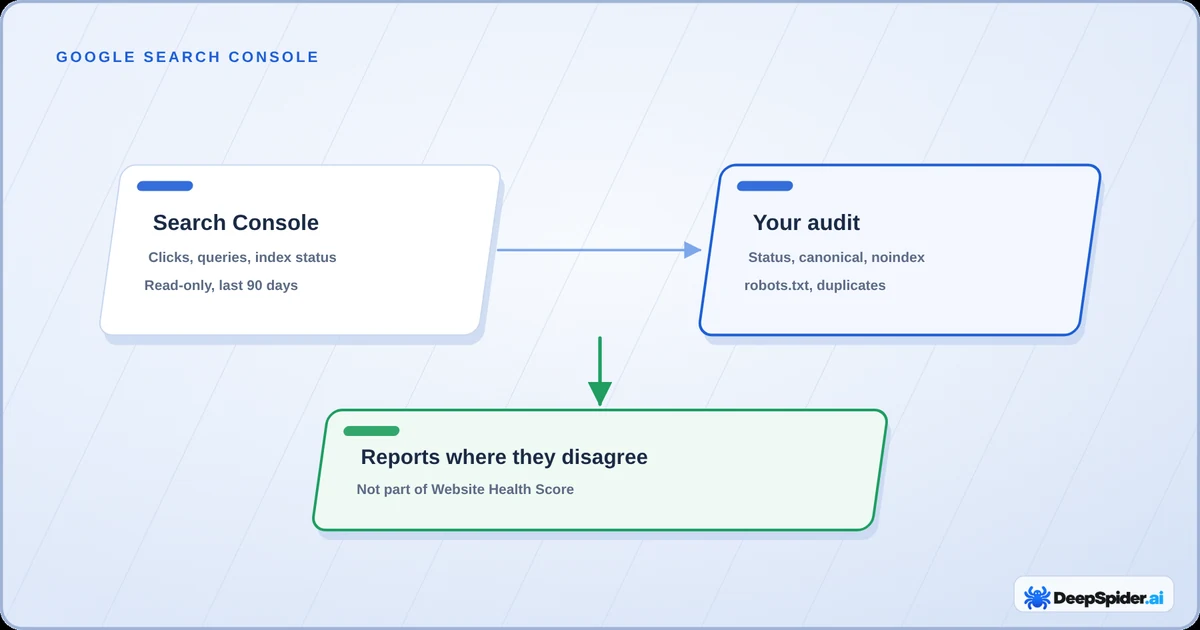
Your audit shows what DeepSpider found on the website. Search Console shows what Google did with it. Put the two side by side and the gaps jump out: pages that get clicks but aren’t linked, pages Google won’t index, searches you almost win.
- Open Data → Google Search Console and press Connect Google Search Console. Access is read-only.
- DeepSpider links every saved website your Google account can open and fetches the last 90 days of search data.
- No Google sign-in? Upload a Search Console export instead.
- The reports compare Google’s data with your audit. They are tips to review and never change your Website Health Score.
Why bother connecting it
An audit tells you what is on the website. It can’t tell you which pages people actually find in Google, which searches bring them in, or which pages Google decided to skip. Search Console knows all that, but on its own it doesn’t know your site structure.
Put together, you get answers to questions like these:
- Which pages get clicks from Google but aren’t linked anywhere on the site?
- Which pages show up in Google even though they redirect, are noindex or are duplicates?
- Which searches sit just below the top results, where a small fix could make a real difference?
- Which of my audited pages has Google not indexed, and why?
You need a saved audit of the website. The reports always compare Google’s data with one audit you choose.
Connect your Google account
- Open Data → Google Search Console in the top menu and pick the website in Select Website.
- Press Connect Google Search Console and sign in with the Google account that has the website in Search Console.
- Google asks you to allow read-only access to Search Console data. Allow it and you’re back in DeepSpider.
That’s it. DeepSpider links every website you have saved that this Google account can open in Search Console, and starts fetching their data in the background. You don’t have to pick properties one by one. If a website has both a Domain property and URL-prefix properties, the Domain property wins.
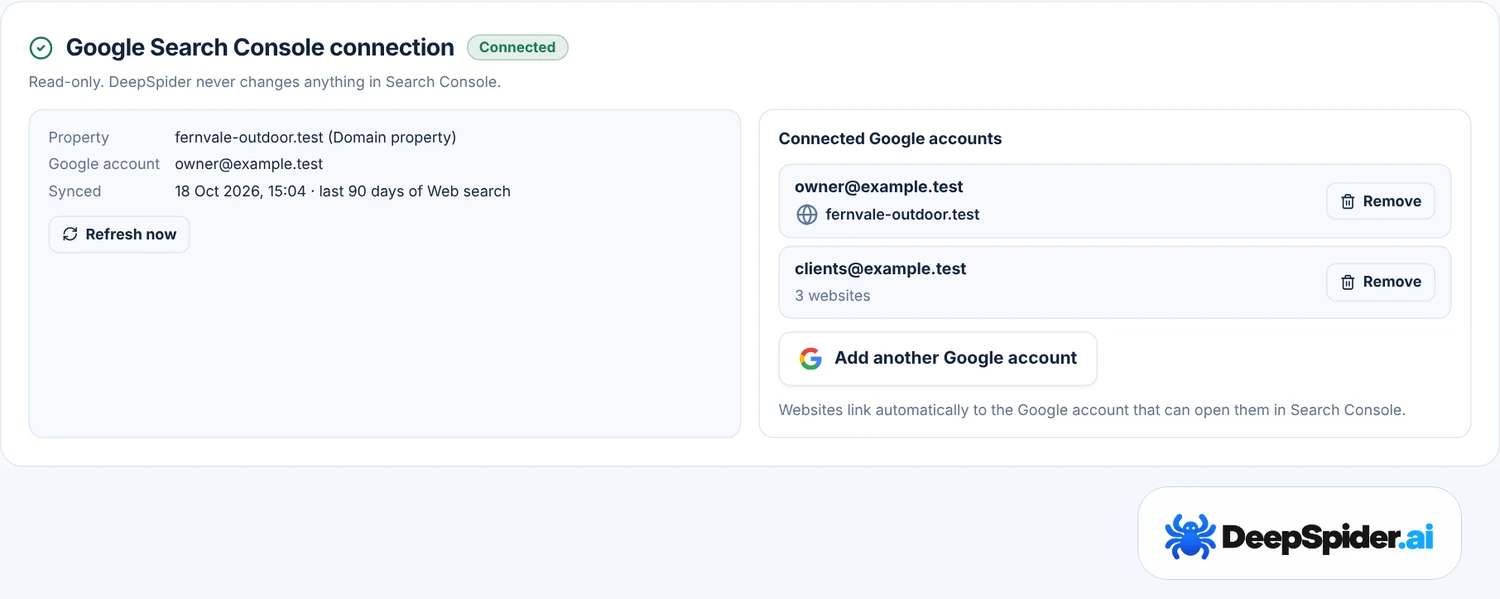
- Several Google accounts? No problem. Press Add another Google account, up to 10. Handy for agencies with one Google account per client.
- Fresh data: DeepSpider fetches the last 90 days of web search. Data older than a day is refreshed when you open the page, and Refresh now works every 10 minutes.
- Read-only: DeepSpider never changes anything in Search Console.
When a website doesn’t link
The box says the website isn’t in the connected Google account’s Search Console. Two usual reasons:
- It lives in another Google account. Press Add the Google account that has it and sign in with that one.
- It isn’t in Search Console yet, or isn’t verified. Add and verify the website in Search Console first, then press Check again. DeepSpider can’t add or verify a property for you.
DeepSpider only links properties your Google account has verified access to (owner, full or restricted user). Adding someone else’s domain to DeepSpider gives you no Search Console data for it, and that’s on purpose.
Upload an export instead
Don’t want to sign in with Google? You can upload data by hand:
- In Search Console open Performance → Search results and choose a date range.
- Press Export → Download CSV. You get a ZIP file.
- Drop the ZIP on the Google Search Console page in DeepSpider.
Heads-up: the Search Console export stops at 1,000 rows, so on bigger websites part of the data is missing and DeepSpider says so. The export also never combines queries and pages, which some reports need; a query and page table from the API or Looker Studio fills that gap. Connecting the Google account avoids both problems. Once a website is linked to Google, the upload is hidden because each sync would overwrite it anyway.
Check which pages Google has indexed
With a Google connection, Index status from Google asks Google about your audited pages one by one: is the page indexed, when did Google last crawl it and which canonical did it choose.
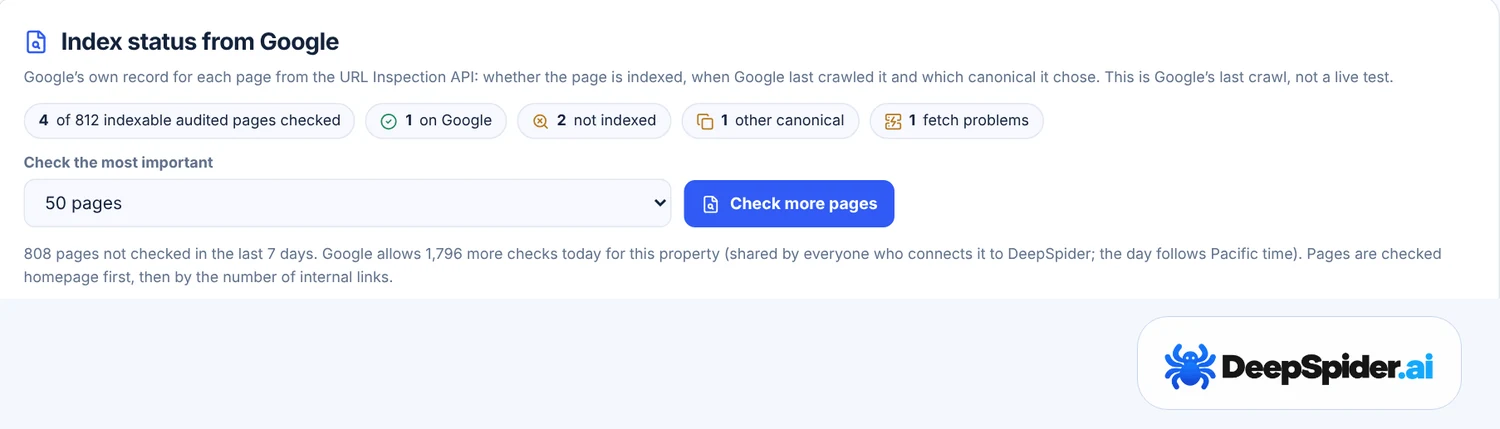
- Press Check more pages. DeepSpider checks indexable audited pages, homepage first, then the pages with the most internal links.
- Google allows 2,000 checks per property a day. DeepSpider uses up to 1,800, shared by everyone who connects the same property, so very large websites take a few days.
- A result older than 7 days is checked again.
- This is Google’s record from its last crawl, not a live test. If you just fixed a page, give Google time to come back.
What the reports show
Below the connection you’ll find a stack of reports. They fall into four groups:
| Group | Examples |
|---|---|
| Google and the audit disagree | Pages with search traffic the audit didn’t find, pages blocked by robots.txt that still get traffic, non-indexable or duplicate pages that Google shows, http:// pages with clicks. |
| Quick wins | Searches where you rank 8 to 20, pages with impressions but no clicks, click-through rates below your own site’s curve, searches not reflected in the title or H1. |
| Index status | Audited pages Google hasn’t indexed, pages where Google chose another canonical, pages Google couldn’t fetch. |
| Context | Clicks per day with Google’s ranking update dates, branded and non-branded clicks, pages losing clicks. |
Every report has What we check, Why it matters and How to fix it, just like the audit checks. They are tips to review, not errors, and they never touch your Website Health Score. An update date on the clicks chart is a date, not proof that the update caused a change.
Thresholds such as how many impressions count can be changed in Settings → General → Check thresholds.
What happens with your data
- DeepSpider reads Search Console data and URL Inspection results for properties that cover your saved websites. Nothing else.
- Your Google access is stored encrypted and only works for your account. Other DeepSpider accounts never see your data.
- Remove next to a Google account cancels the access at Google and deletes the data that came from it. Uploaded files stay until you remove them.
- Deleting a website deletes its Search Console data too.
The details are in our Privacy Policy.
Questions & answers
Does connecting Search Console change my Website Health Score?
No. The score only comes from the audit. Search Console reports sit next to it as tips to review.
Can DeepSpider change my Search Console settings?
No. The access is read-only. DeepSpider can’t add users, submit sitemaps or change anything else.
Why does the data stop a few days ago?
Search Console data arrives with a short delay. DeepSpider fetches up to yesterday in Pacific time, the time zone Search Console uses.
Why are some pages in Google but not in my audit?
Often they aren’t linked from any page DeepSpider could reach, or the audit hit its page limit. The report says which, and how to fix it.
Which plans include it?
Every plan includes Google Search Console and Bot activity reports.
Data → Google Search Console → Connect, sign in with the Google account that has the website, done. DeepSpider links your websites by itself, reads 90 days of data and compares it with your audit. Read-only, and it never changes your score.
- Performance report (Search results) · Google Search Console Help
- URL Inspection tool · Google Search Console Help
- Usage limits · Google Search Console API