
Plans, limits
and billing.
What each plan limit means, when an audit does not count, how to change or cancel a plan, and how refunds, VAT and promo codes work.
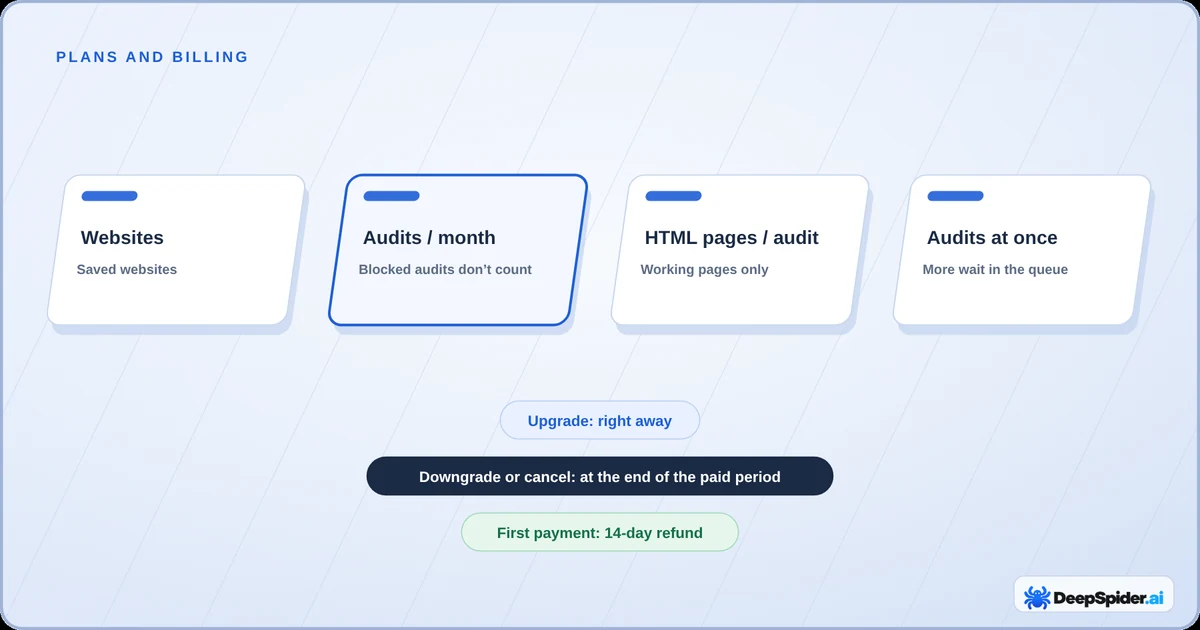
- Every plan has the same checks. Plans differ in websites, audits per month, HTML pages per audit and audits running at once.
- Audits that the website blocks, or that fail on our side, don’t use one of your monthly audits.
- A higher plan applies right away. A lower plan or a cancellation takes effect at the end of the period you paid for.
- Your first payment can be refunded in full within 14 days. Prices exclude VAT, which Paddle adds where it applies.
What the plan limits mean
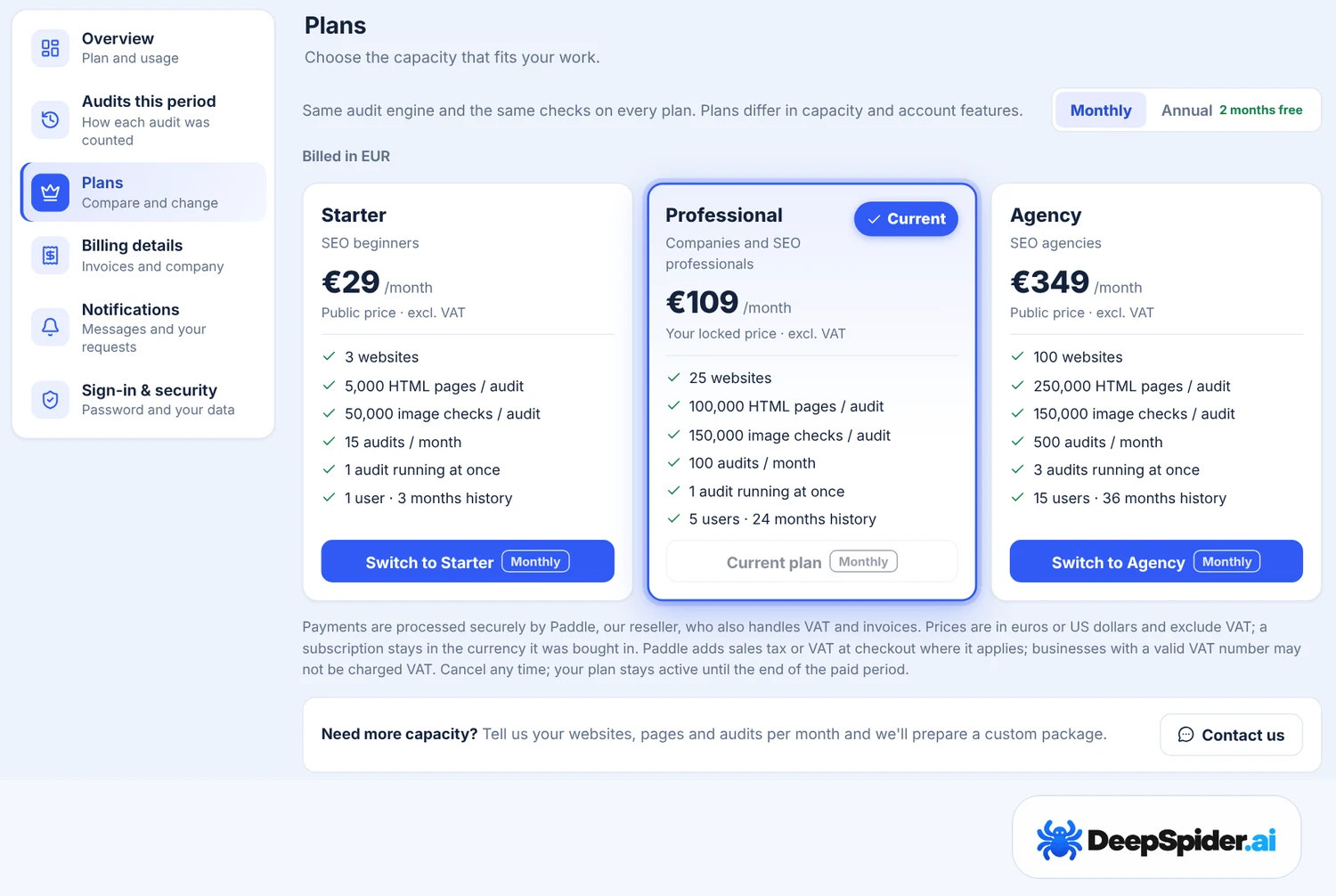
All plans use the same audit engine and the same checks. They differ in capacity:
| Starter | Professional | Agency | |
|---|---|---|---|
| Websites | 3 | 25 | 100 |
| Audits per month | 15 | 100 | 500 |
| HTML pages per audit | 5,000 | 100,000 | 250,000 |
| Image checks per audit | 50,000 | 150,000 | 150,000 |
| Audits running at once | 1 | 1 | 3 |
| Audit history | 3 months | 24 months | 36 months |
- Websites are the websites with saved audits in your account. Deleting a website and its audits frees a place.
- HTML pages per audit counts only working HTML pages. Redirects, error pages and images are checked too but don’t use this limit. For a quicker first look at a very large website, set a lower limit in Settings → General → Audit setup.
- Image checks are counted separately from HTML pages.
- Audit history is how far back you can open and compare saved audits.
Prices and the current plans are on the Pricing page. If you need more than the Agency plan, see custom packages.
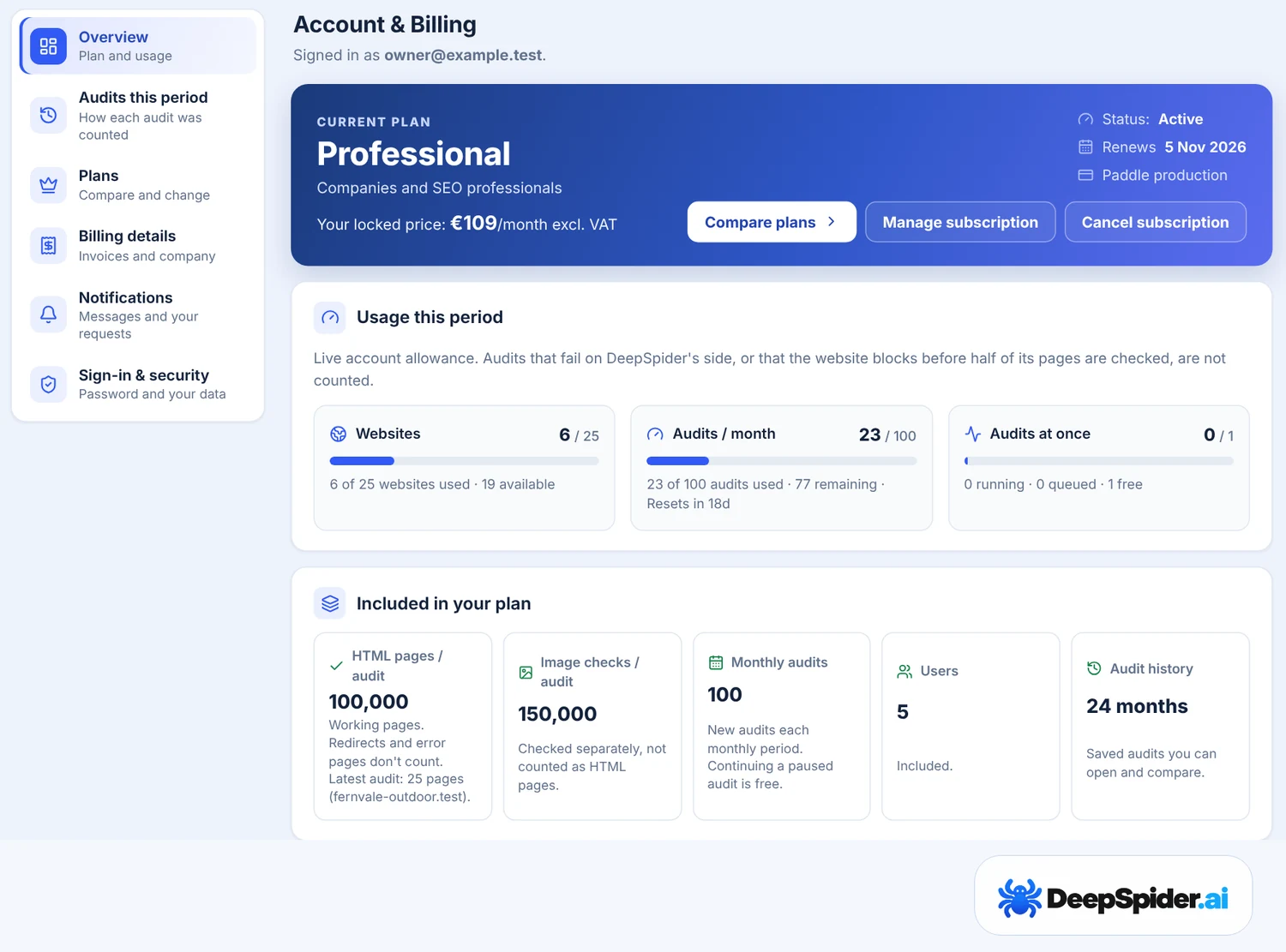
Which audits use your monthly audits
Starting a new audit uses one of your monthly audits. DeepSpider gives it back automatically when the audit gave you nothing useful:
- the website blocked DeepSpider, limited its access or left most pages unreachable before half of its page URLs were checked;
- no HTML page could be audited;
- a problem on DeepSpider’s side ended the audit;
- you stopped the audit before any page was checked.
Continuing a paused audit is never a new audit. Settings → Account & Billing → Audits this period lists every audit and says whether it counted and why. The full rule is in our Terms of Service.
Monthly audits start again on the same day each month as your subscription began. Annual plans have the same monthly allowance in each month of the year. Extra audits that DeepSpider gives you are used after your monthly audits.
Running several audits
When you start an audit while your plan’s audits at once are in use, you choose Run now or Add to queue. A queued audit starts by itself when a place is free, and its waiting time is not counted in the audit duration. Up to 20 audits can wait in the queue.
Upgrade or downgrade
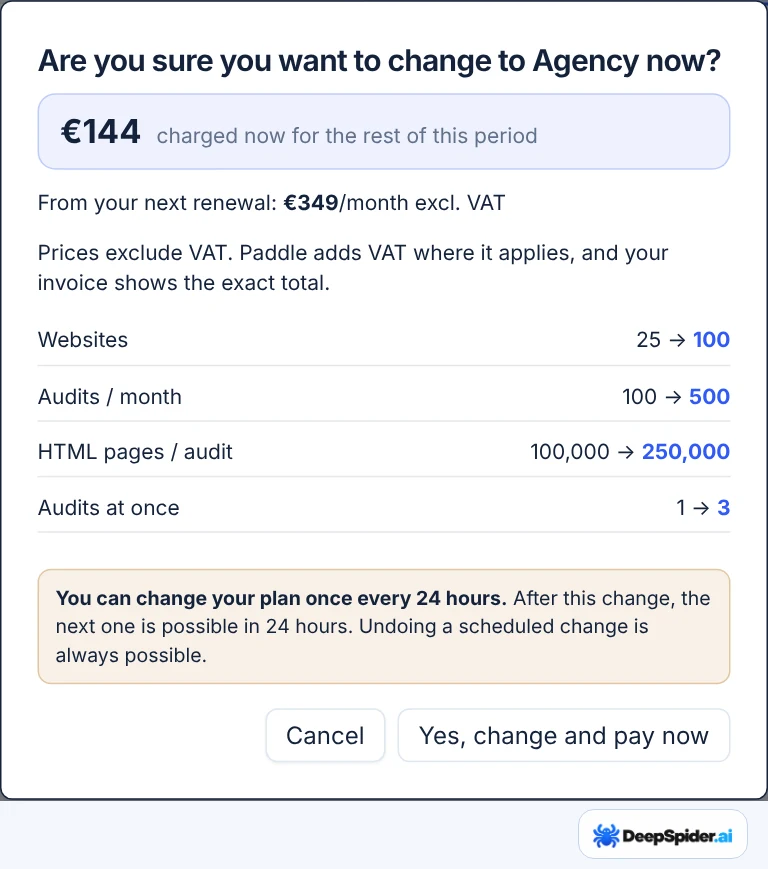
Open Settings → Account & Billing → Plans, choose Monthly or Annual and press Switch to …. Before anything changes, a window shows what you pay now, the new price from the next renewal and how the limits change.
- Higher plan: applies right away. Paddle charges the difference for the rest of the current period.
- Lower plan, or annual to monthly: takes effect at the end of the period you paid for. Until then you keep your current plan and its limits. You can undo the scheduled change at any time.
- A plan can be changed once every 24 hours. Undoing a scheduled change is not limited.
Cancel your subscription
Press Cancel subscription in Account & Billing → Overview. Nothing renews, and your plan stays active until the end of the period you paid for. Until then, Keep subscription undoes the cancellation.
After the period ends you can’t start new audits, but your saved audits stay in your account. Subscribe again to continue.
The 14-day refund
- You can get a full refund of your first payment if you ask within 14 days of it, monthly or annual, without giving a reason. This is available once per account.
- Renewal payments are not refunded, but you can cancel at any time and keep the plan until the end of the paid period.
- When the first payment is refunded, the subscription ends at once. Your saved audits stay.
To ask, email support@deepspider.ai from your account’s email address, or contact Paddle through paddle.net with the details on your receipt. The full rules are in our Refund Policy.
Prices, VAT and invoices
- Payments are handled by Paddle, our reseller and Merchant of Record. Paddle adds VAT or sales tax at checkout where it applies; businesses with a valid VAT number may not be charged VAT.
- Prices are shown without VAT, in euros or US dollars. A subscription stays in the currency it was bought in.
- Annual plans cost the same as ten months.
- Your plan card shows Your locked price. If we change a plan’s price, the new price applies to new subscriptions, and we tell you before any change affects yours.
- Manage subscription opens Paddle, where you find invoices and can change your payment method and billing address. Company name and VAT number for invoices are under Billing details.
- If a payment fails, Paddle tries again. If it cannot be collected, new audits stop until the payment is made; your saved audits stay.
Custom packages
DeepSpider’s audit engine can handle more than the Agency plan includes. If you need more websites, more audits a month, more HTML pages or image checks per audit, or more audits running at once, we can prepare a custom package for you.
A custom package can suit, for example:
- agencies auditing more than 100 client websites;
- very large websites with more than 250,000 HTML pages;
- teams that run many audits at the same time.
How to ask: press Contact us under the plans in Settings → Account & Billing → Plans, or email support@deepspider.ai. Tell us:
- how many websites you audit;
- how many HTML pages the largest website has, roughly;
- how many audits you run in a month, and how many at the same time.
We reply with a package and a price that fit. For a very large website we may first run a test audit together, so the limits match what the website really needs.
Promo codes and free access
A promo code from DeepSpider, for example from an event, gives a plan for free for a number of days.
- Activate it with the link you received, or in Settings → Account & Billing → Redeem code.
- Codes are for new accounts only: created in the last 7 days, without a started audit, a subscription or earlier free access.
- The free plan’s end date is shown in Account & Billing. DeepSpider reminds you before it ends.
- Choose a paid plan when the free access ends: paying earlier ends the free days. Your saved audits stay either way.
Questions & answers
Do I lose my audits if I downgrade or cancel?
No. Saved audits stay in your account. A lower plan limits what you can start next, for example how many websites and audits per month.
What happens when I reach the website limit?
You can still audit the websites you have. To add another, delete a website with its audits or move to a higher plan.
Does a paused audit use another audit when it continues?
No. Continuing a paused audit, by itself or with Continue saved audit, is never a new audit.
Why can’t I change my plan again?
A plan can be changed once every 24 hours. The window shows when the next change is possible. Undoing a scheduled change is always possible.
Can I get more than the Agency plan?
Yes. DeepSpider can handle larger packages. Use Contact us in Account & Billing → Plans and tell us your websites, pages and audits per month; see Custom packages.
Plans differ in capacity, not in checks. Blocked and failed audits don’t count. Upgrades apply at once; downgrades and cancellations at the end of the paid period. The first payment has a 14-day refund, and prices exclude VAT.