
Run your first audit,
step by step.
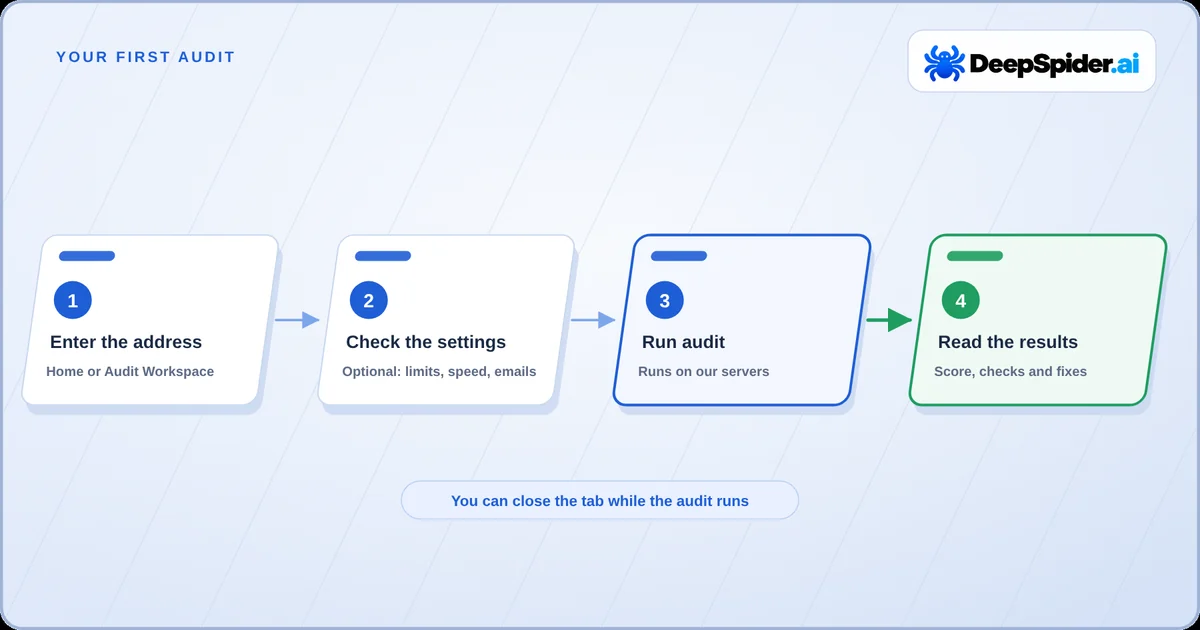
Enter a website address, check two or three settings and press Run audit. Here is what happens next, how long it can take and how to make the first pass a useful one.
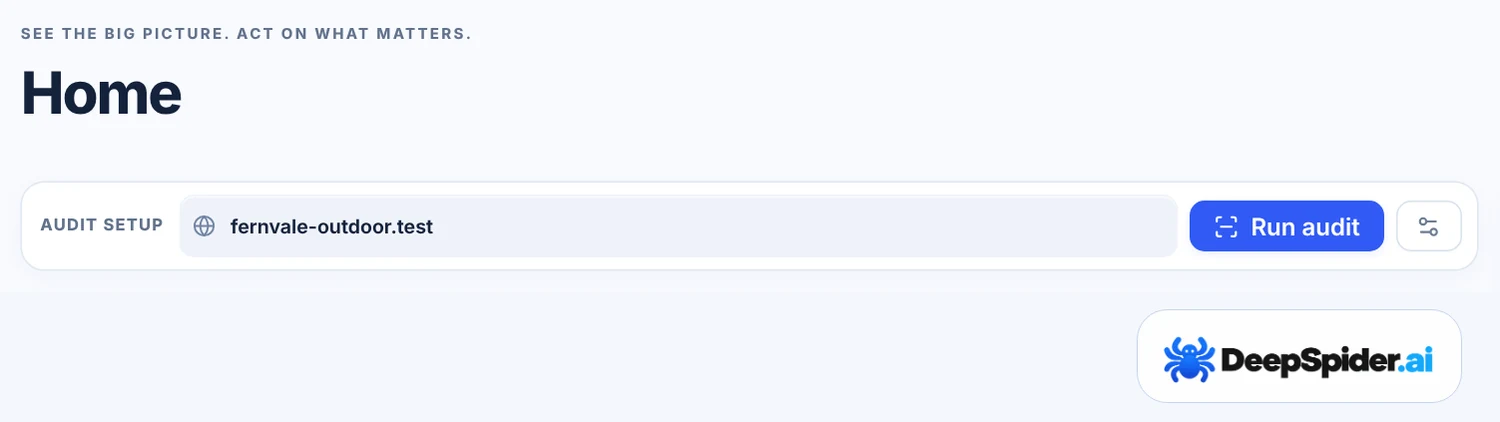
- Open Home, type the website address in Audit setup and press Run audit.
- The audit runs on DeepSpider’s servers. You can close the tab and come back later.
- Settings are optional. By default an audit uses your plan’s full page and image limits and the Super Dynamic crawl speed.
- When the audit finishes, the results open in Audit Workspace.
What you need
You need a DeepSpider.ai account with a plan or an active promo code, and the address of a public website. You don’t need access to the website’s server or its content management system: DeepSpider reads the website the way a search engine crawler does.
Your plan sets three limits that matter for a first audit. You can see all of them in Settings → Account & Billing → Overview:
| Limit | What it means |
|---|---|
| Websites | How many different websites you can keep audits for. |
| Audits per month | How many new audits you can start in your billing period. Continuing a paused audit is not a new audit. |
| HTML pages per audit | How many working HTML pages one audit checks. Redirects, error pages and images don’t use this allowance. |
An audit that gives you nothing useful does not use one of your monthly audits, for example when the website blocks DeepSpider from the start or no HTML page can be read. The exact rule is in our Terms of Service.
Start the audit
- Open Home and find the Audit setup box, or press New audit in Audit Workspace.
- Type the website address.
example.comis enough;https://www.example.com/works too. - Press Run audit.
Before the audit starts, DeepSpider checks that the address exists. If the address does not exist, you see a message straight away and nothing is used. If the address redirects to another domain, for example from an old brand name to a new one, DeepSpider asks you to confirm and then audits the website you are redirected to.
If you already have an audit running, you choose between Run now and Add to queue. How many audits can run at once depends on your plan. A queued audit starts by itself when a place is free, and its waiting time is not counted in the audit duration.
Settings worth a look
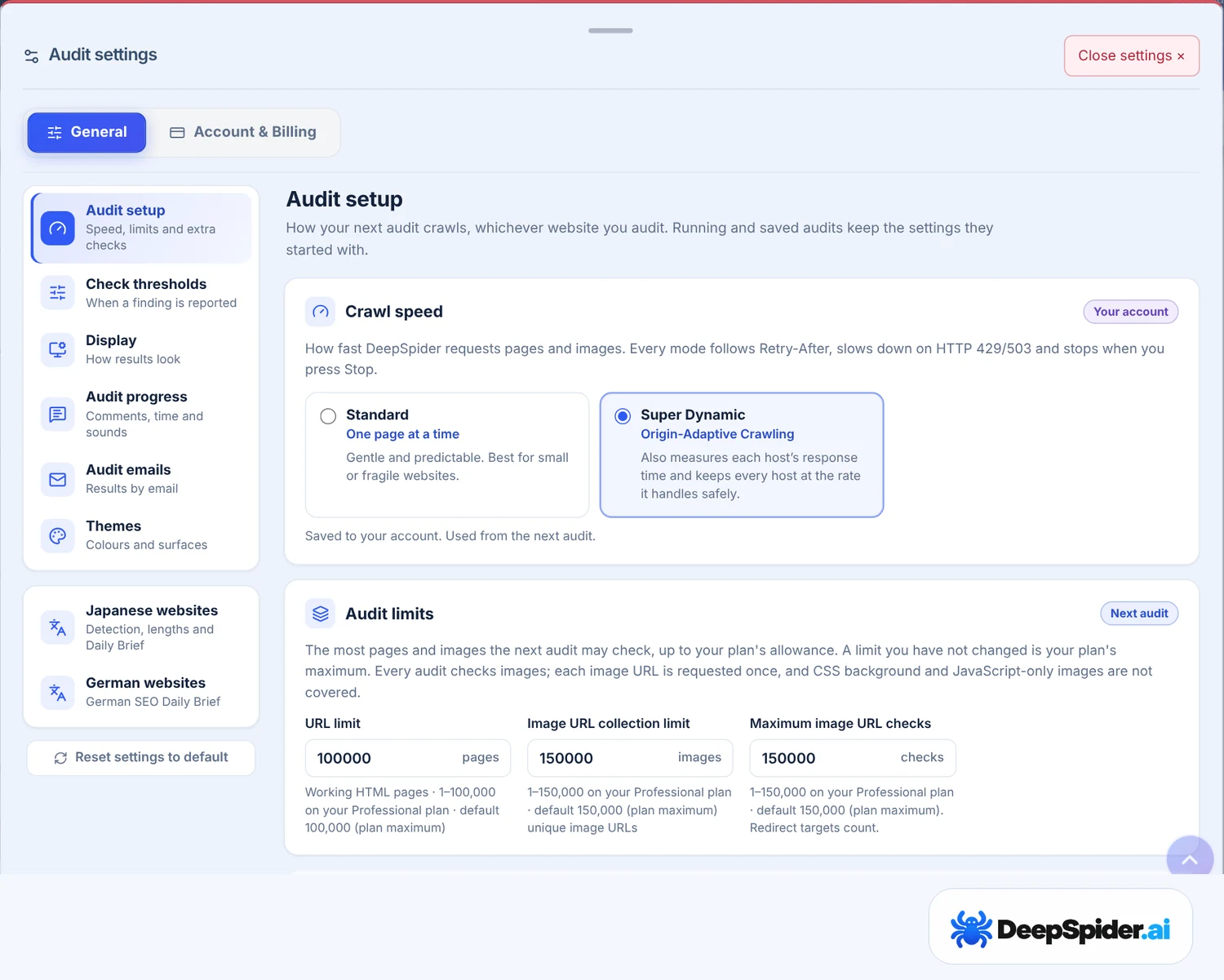
You can start without changing anything. If you want to adjust the audit, open Settings → General → Audit setup before pressing Run audit. Settings apply to the next audit you start, never to one that is already running.
- Audit limits. The URL limit (HTML pages per audit) and the image limits start at your plan’s maximum. A lower limit gives you a quicker first look at a very large website.
- Crawl speed. Super Dynamic is the default: it measures how fast each server answers and keeps every host at a rate it handles safely. Standard requests one page at a time, which suits small or fragile websites.
- When a website asks to wait. If a website asks DeepSpider to come back much later, the audit ends instead of waiting. The default is 24 hours.
Two more settings make waiting easier: Audit emails (Settings → General → Audit emails) tell you when an audit has finished, and Play a sound when an audit finishes is on by default. Time remaining under Audit progress shows an estimate; it is off by default because estimates for very large websites can still be far off.
While the audit runs
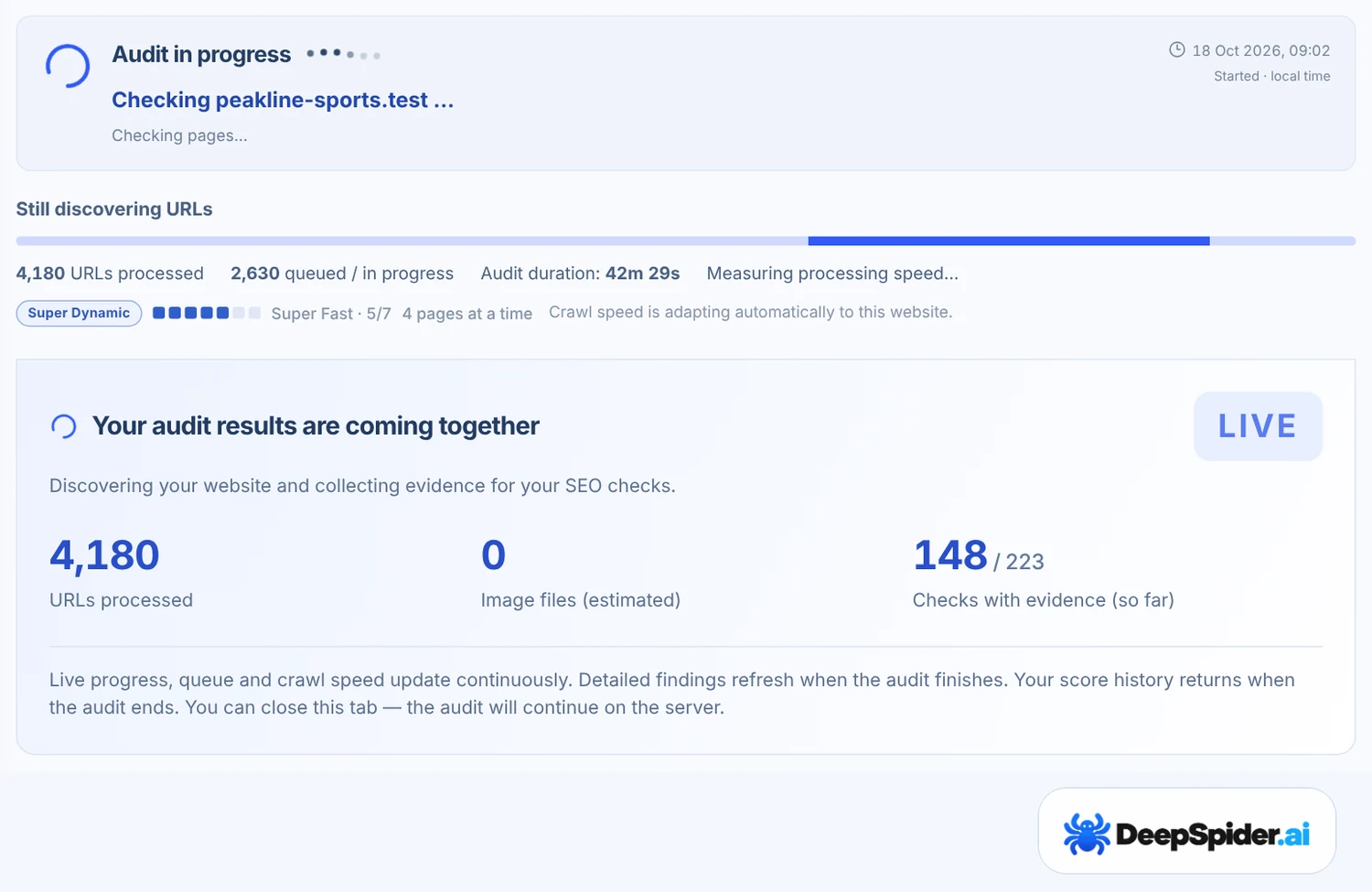
The audit runs on DeepSpider’s servers, not in your browser. You can close the tab, switch off the computer or start audits for other websites. Home shows every running audit under Running audits.
In Audit Workspace the LIVE box shows what DeepSpider is doing: URLs processed, HTML pages, images and the current crawl speed. Error and warning counts appear in the left menu while the audit runs. They are provisional: on a large website they are counted from the first 10,000 URLs, and the final numbers can be higher or lower.
When crawling is done you see All done – finishing up. DeepSpider is analysing the results and saving the report. For a large website this can take 5–10 minutes, and for the largest websites longer.
Stop ends the audit and keeps what was checked so far. A stopped audit can be continued later from Continue saved audit.
How long an audit takes
The time depends far more on the website than on DeepSpider. A small website usually finishes in minutes. A website with tens of thousands of pages can take several hours, and some audits run for a day or longer. Five things decide it:
- Size. Every page and every image is a separate request. A large online shop can have hundreds of thousands of page and image URLs, and a website with many images per page takes longer than its page count suggests.
- Server speed. DeepSpider slows down when a server answers slowly or starts returning errors, so the website stays usable for its visitors. A slow server can turn an hour into a day.
- The website’s own rules. A
Crawl-delayline in robots.txt makes DeepSpider wait between requests. At 10 seconds that is at most 8,640 requests a day, so 20,000 pages and images take more than two days. - Rate limits and bot protection. If the website answers “too many requests”, DeepSpider pauses and continues later by itself, more slowly each time. A website that does this again and again can stretch an audit over several days. When Cloudflare shows a bot check, DeepSpider continues with one request at a time. Our guide on paused and ended audits explains this.
- Saving the results. After crawling, DeepSpider analyses everything and saves the report. On the largest websites this alone can take an hour or more.
| Website | Usual time |
|---|---|
| A few hundred pages, fast server | Minutes |
| Thousands to tens of thousands of pages | From under an hour to several hours |
| Hundreds of thousands of pages and images, a slow server, a Crawl-delay or repeated rate limits | A day or longer |
These are rough ranges, not promises: the same website can take longer when its server is busy. You don’t need to wait: the audit runs on our servers, Audit emails tell you when it has finished, and Time remaining in Settings → General → Audit progress shows an estimate while it runs. If a large website takes too long, a lower URL limit gives you a quicker first look. The finished summary shows the audit duration and the average speed in URLs per minute.
Make the first audit a useful one
- Start from the main address visitors use, for example
https://www.example.com/. DeepSpider follows links and sitemaps from there. - Is it your website and does it use Cloudflare or a firewall? Allow the user agent
DeepSpider/1.1 SEO auditbefore you start, limited to the audit. Bot protection is the most common reason an audit is blocked. - Check robots.txt. DeepSpider follows it. Pages that robots.txt disallows are listed but not opened.
- Run the next audit after you fix something. Compare Audits then shows what changed between the two.
Questions & answers
Does the audit stop if I close the browser?
No. Audits run on DeepSpider’s servers and continue when you close the tab or the browser. Use Stop when you really want to end an audit.
Why is my audit still running after many hours?
Usually because the website is large, its server answers slowly, its robots.txt asks crawlers to wait between requests, or it limits how many requests DeepSpider may send. DeepSpider never sends requests faster than the website allows. The progress box shows how many URLs are done and how many are waiting, and the speed it is crawling at.
Can I change the limits while the audit runs?
No. Settings apply to the next audit you start. To use a different limit, stop the audit or let it finish, change the setting and start a new audit.
Why did my audit start on a different address?
The address you entered redirects to another domain, and you confirmed that DeepSpider should audit the destination. The audit and its history are saved under the website you were redirected to.
Can I audit a website I don’t own?
Yes, DeepSpider reads public pages like a search engine crawler and follows the website’s robots.txt rules. Some websites limit or block automated visits, and then the audit can pause or end.
Does a failed audit use one of my monthly audits?
Not when it gave you nothing useful, for example when the website blocked DeepSpider from the start or a problem on our side ended it. The rule is in the Terms of Service.
Type the address, press Run audit and close the tab if you like. Check the limits and crawl speed only when you have a reason to. If the website uses bot protection, allow DeepSpider/1.1 SEO audit before you start.