
Export and share
your audit results.
Your boss wants a PDF, the developer wants a list of URLs and the client wants something they can actually read. One audit, a few clicks, and everybody gets their own version.
- Press Export on the right edge of Audit Workspace, pick how detailed the report should be, a theme and a format.
- PDF, Word, PowerPoint, Excel, CSV and AI-ready Markdown. Exports never use one of your monthly audits.
- To hand one problem to a developer, use Share on the check: a read-only link that needs no sign-in.
- Share links expire after 7 or 30 days and you can revoke them any time.
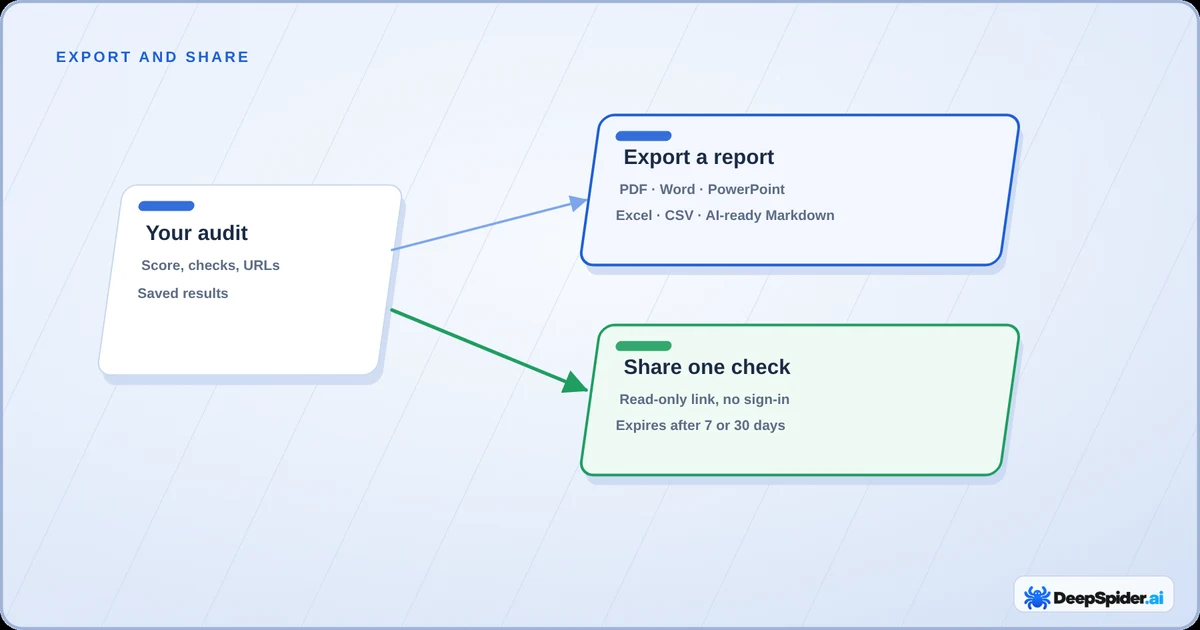
Report or link?
Two tools, two jobs:
- Export makes a file of the whole audit, as short or as long as you like. Good for meetings, clients and your own archive.
- Share makes a link to one check, with its affected URLs. Good for “hey, can you fix these 40 redirects?” without sending anyone the whole audit.
Both work on finished audits. The Export button is grey while an audit is running, after a failed audit, or when there is no Website Health Score yet.
Export a report
- Open the audit in Audit Workspace and press Export on the right edge of the page.
- Choose how detailed the report should be (see below).
- Pick a theme and a format, and if you like, the page orientation and paper size.
- Check the preview, the page count and the file size, then press Create.
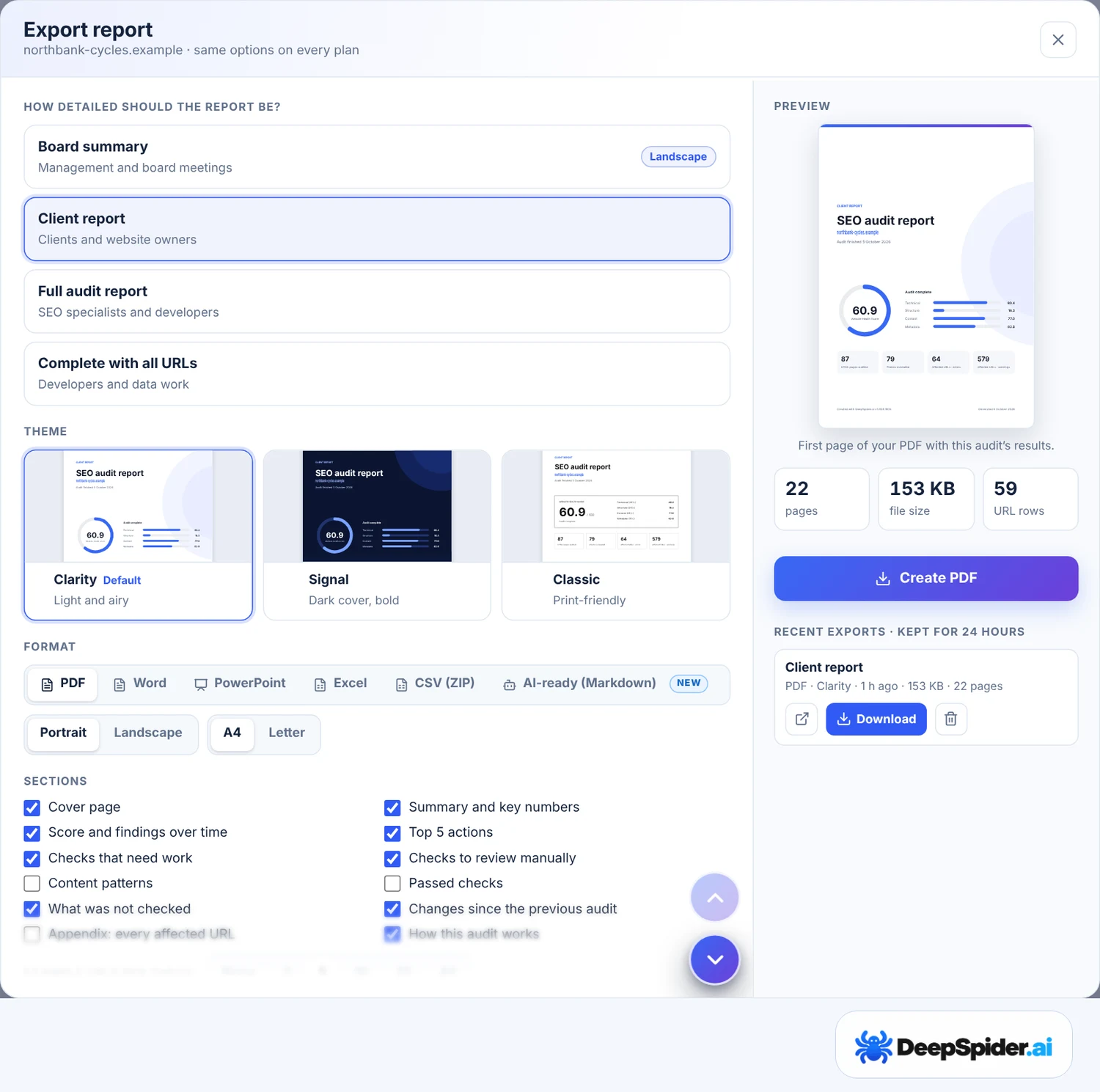
The file appears under Recent exports and stays there for 24 hours. Download it, and that’s it. Every plan gets the same options, and an export never uses one of your monthly audits.
How detailed should it be?
| Level | Who it’s for |
|---|---|
| Board summary | Management and board meetings. The score, key numbers, the five most important actions and what changed. Usually four to six pages, landscape by default. |
| Client report | Clients and website owners. The summary plus every check that needs work, with why it matters, how to fix it and example URLs. |
| Full audit report | SEO specialists and developers. Every check, including the ones to review by hand, passed and unchecked ones, with Smart Fix Guidance and more examples. |
| Complete with all URLs | Developers and data work. The full report plus an appendix with every affected URL of every check. |
Sections can be switched on and off, so you can drop the parts your reader won’t care about. Pick the shortest level that does the job: nobody reads 200 pages, honestly.
Formats and themes
- PDF is the safe bet for sending. Lists up to 100,000 URLs.
- Word if someone wants to edit the text. Lists up to 20,000 URLs.
- PowerPoint for a presentation. Not offered for Complete with all URLs, because nobody wants slides of URLs.
- Excel and CSV (ZIP) list every affected URL. Best for filtering, sorting and handing over to a developer.
- AI-ready (Markdown) is one compact file to paste into an AI assistant and ask “what should I fix first?”. The window shows its size in tokens. Not offered for Complete with all URLs.
Three themes: Clarity (light, the default), Signal (dark cover, bold) and Classic (print-friendly). You can also add your own logo (PNG or JPEG, up to 1 MB), a title, who it’s prepared for and by, and an accent colour. Reports are in English.
A word on the AI-ready file: website text sits in a separate data block, and the file tells the assistant to treat it as data, not instructions. That lowers the risk of a page’s hidden text steering the assistant, but no file can guarantee it. Read the answer with your own eyes.
Share one check with a link
Got a check you want someone else to fix? Open it in the Professional view and press Share above the affected URLs. The Share button is also in the Overview check details and on the Guided top action cards.
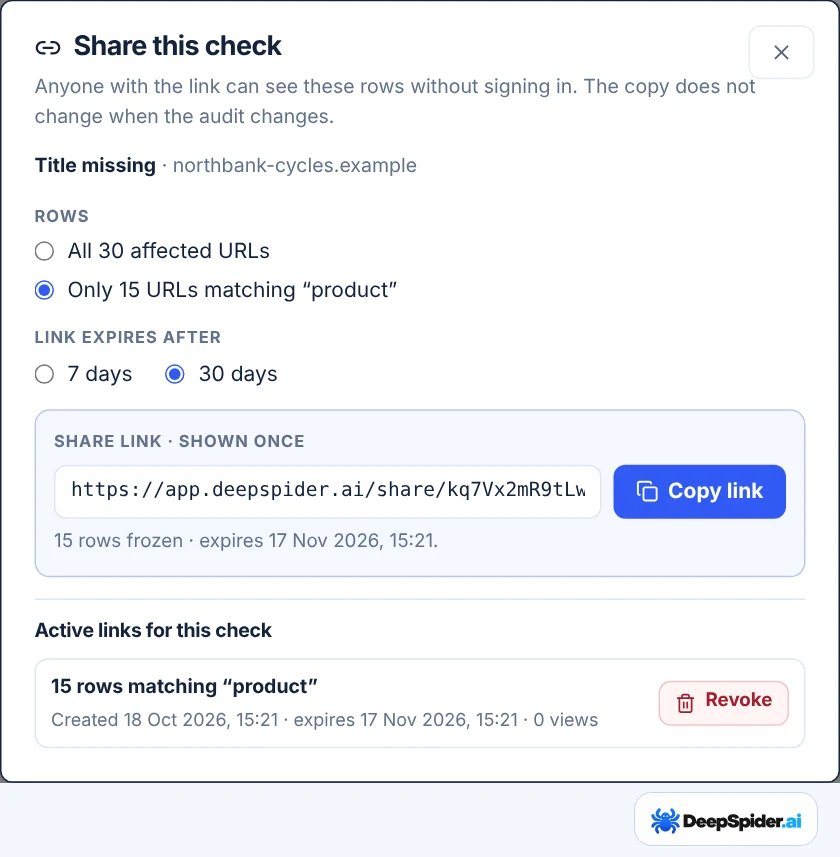
- Choose All affected URLs, or only the rows matching your current search in the list.
- Choose how long the link works: 7 or 30 days.
- Press Create link and copy it. It’s shown only once, so paste it somewhere right away.
The person you send it to opens a clean page with the check, why it matters, how to fix it and the URLs, with search and a CSV download. No account, no sign-in.
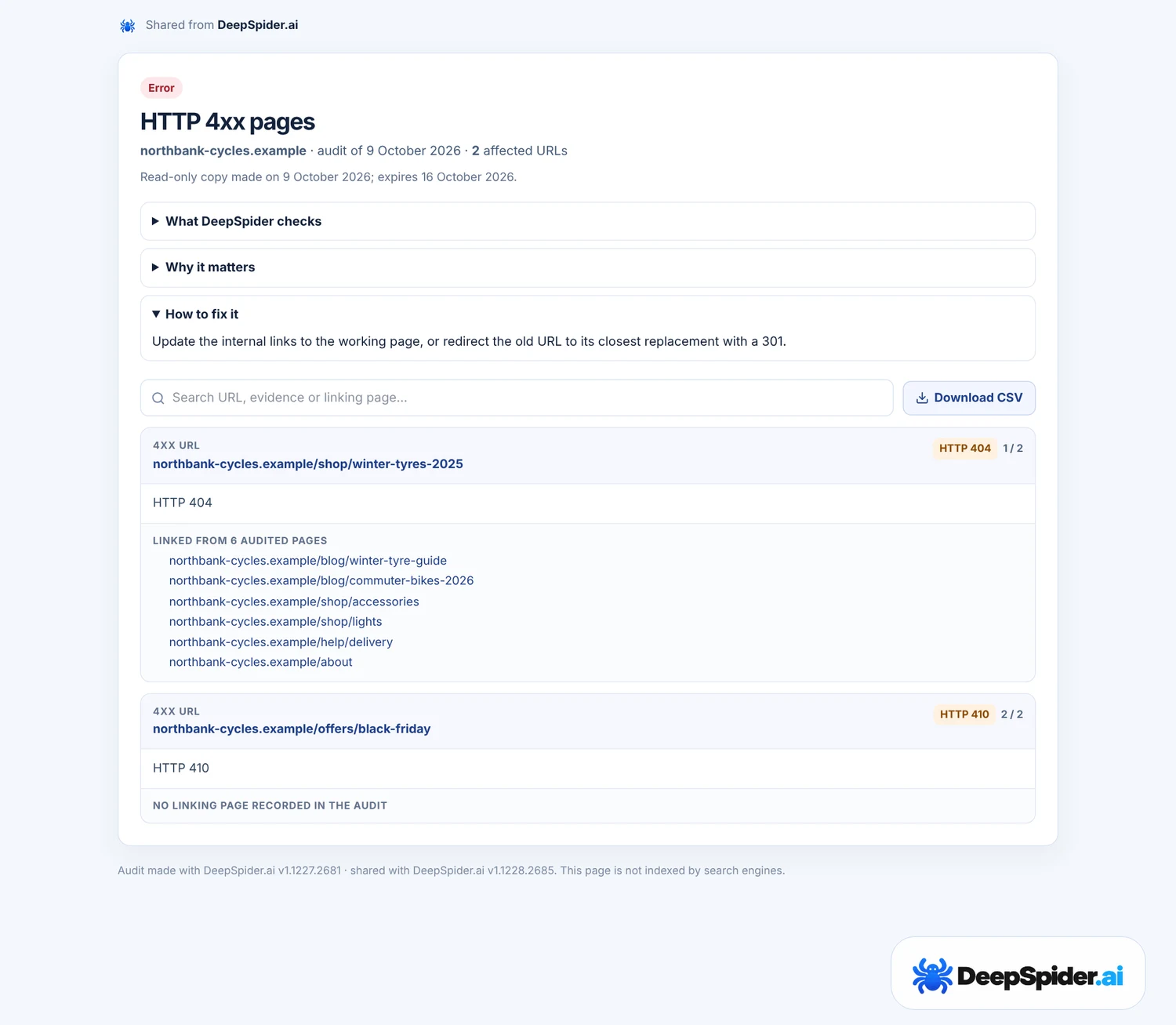
Who can see a shared link
- Anyone with the link can open it, so treat it like a key. Send it to the people who need it, not to a public channel.
- It shows one check of one audit. Your other checks, audits and account details aren’t on it.
- It’s a frozen copy. Running a new audit doesn’t change what the link shows.
- It’s not indexed by search engines.
- Changed your mind? Revoke it in the same Share window and it stops working straight away. Deleting the audit also removes its links.
A shared copy holds up to 10,000 rows. You can have 50 active links at a time.
Questions & answers
Does exporting use one of my monthly audits?
No. Exports and share links never use an audit.
How long can I download an export?
24 hours. After that, create it again; it only takes a moment.
Can I put my agency’s logo on the report?
Yes. Upload a PNG or JPEG of up to 1 MB in the Export window, or leave the logo out altogether.
Why is the Export button grey?
The audit is still running, it failed, or it has no Website Health Score yet, for example because no HTML page could be audited.
Can someone see my other audits through a shared link?
No. A link shows one check of one audit, as a frozen copy, and nothing else.
Export on the right edge of Audit Workspace: pick a level, a theme and a format, check the preview, Create. For one problem, use Share on the check and send the developer a read-only link that expires after 7 or 30 days.